How do I get started with Tap to Pay for my business?

Products featured
How many times have you watched a customer reach for their wallet at a pop-up market, only to walk away when they realize you’re cash-only? For many entrepreneurs in the UAE, the struggle is real: traditional POS terminals are clunky and often come with steep upfront costs that eat into your margins before you’ve even made your first sale of the day.
If you’ve ever had to ask a customer to visit an ATM or navigate the tedious process of a manual bank transfer, you know how quickly that friction kills a sale. In a market as fast-paced as Dubai, you need a way to turn your smartphone into a card reader instantly – which is why you're looking to get started with Tap to Pay.
In this piece, we'll go over how to get set up and how Tap to Pay works with payment apps like Ziina.
How to get started with Tap to Pay for your business
Getting started with digital payments historically felt like a full-time job. In the past, you’d have to apply for a merchant account with a traditional legacy bank. This process is notorious for its high requirements and can take a long time. After that, you would need to wait for a physical POS device to be delivered, which often involves ongoing rental fees and technical configuration.
Today, you can bypass the hardware entirely. Tap to Pay technology utilizes the Near Field Communication (NFC) chip already inside your phone to communicate with a customer’s card or digital wallet. To get started, you simply need a compatible smartphone, either an iPhone or an Android, and a payment platform that supports the technology locally.
Here's how it works:
- Download a regulated payment app: You should choose a payment provider that is licensed or authorised by the Central Bank of the UAE, where applicable. This ensures your funds are secure and your business stays compliant with local regulations.
- Complete your verification: Fintech platforms like Ziina allow you to onboard using just your Emirates ID for a professional account.
- Configure your settings: Once verified, you can find the Tap to Pay option within the app interface. You’ll usually run a quick one-time setup to authorize your phone’s NFC chip to act as a secure reader.
- Accept your first payment: Simply enter the amount, have the customer tap their card, and the funds are processed through the same secure rails as a standard terminal.
How to use Tap to Pay with Ziina
At Ziina, we understand that your brand is an extension of yourself. Since Ziina is a homegrown UAE company, we’ve built our tech to fit the way you actually work, whether you're selling handmade jewelry at a weekend market in Dubai or managing a high-end design studio.
Turn your phone into a card machine in minutes
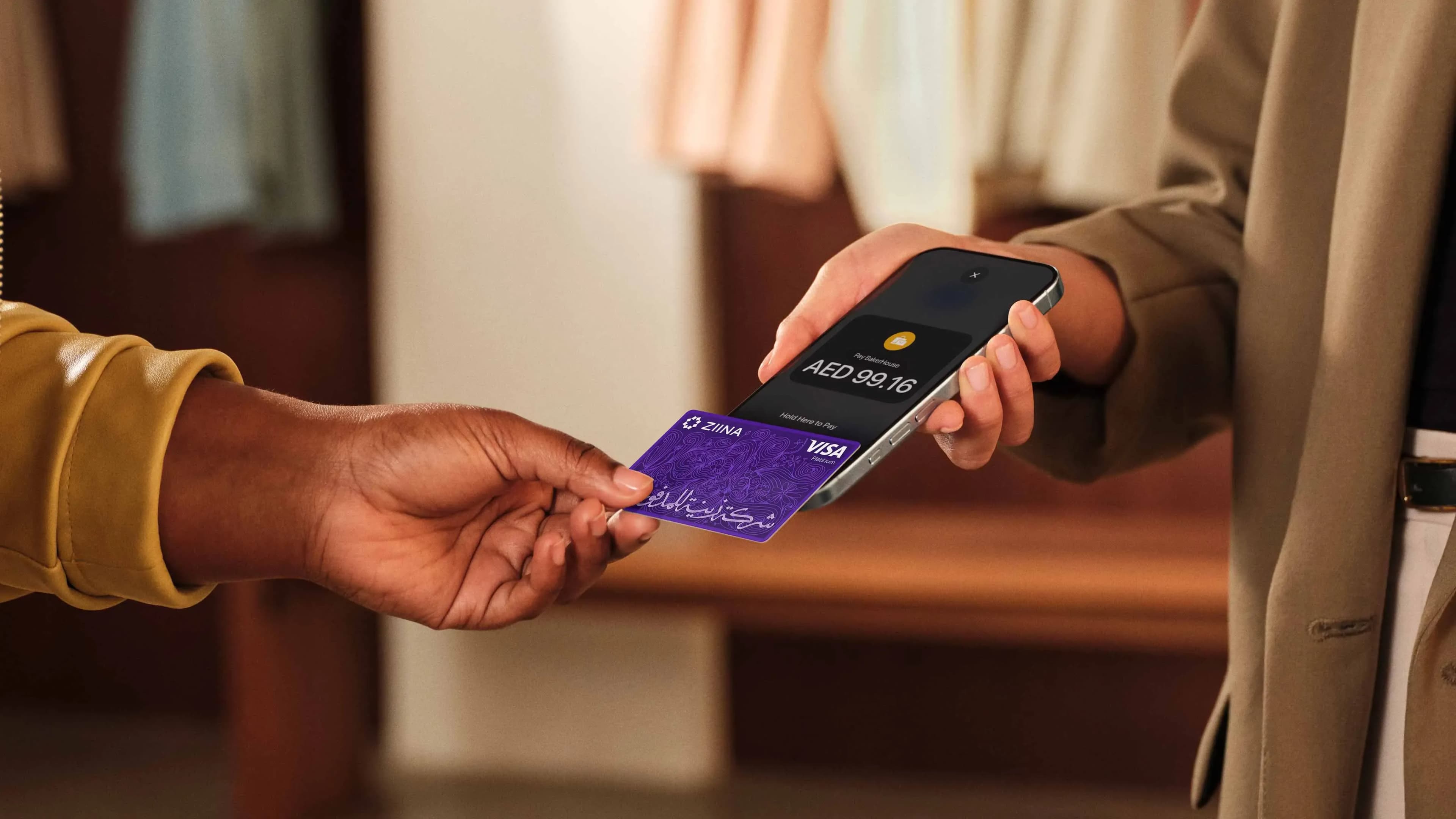
With Ziina, there is no need to buy extra hardware or carry a separate terminal that needs charging. You simply open the Ziina business app, enter the order amount, and select Tap to Pay. Your customer then taps their card, iPhone, or Android device against the back of your phone.
The payment is processed in real time, and the modern user experience often signals to your customers that you are a tech-savvy business that values their time.
Read more: How to accept contactless payments on iPhone
“Tap to Pay is up and coming in the UAE. People still get this wow factor when they first try it – it hasn't lost the novelty yet.”
Manage every sale from one central wallet
Tap to Pay shouldn't be another disconnected tool you have to juggle. If you’re an omnichannel business, your sales come from everywhere. You might sell in person during the winter pop-up season, but take orders via Instagram DMs during the week.
Ziina helps you manage eligible transactions from one account, making it easier to track sales across different payment channels. You can send branded payment links over WhatsApp and use Tap to Pay for walk-ins, keeping your accounting centralized. This eliminates the need to reconcile three different platforms at the end of every month.
Give your team payment permissions
If you have employees, drivers, or staff at different stalls, you don't want to be tied to a single physical device. Ziina allows you to set up sub-accounts for your team. You can toggle specific permissions so they can accept payments via Tap to Pay on their own phones.
Crucially, they don't have to see your total account balance or sensitive financial history. This safeguards your data while giving your staff the tools they need to close a sale wherever they are.
Read more: Understanding Ziina’s transparent fees and pricing
Move your money when you need it
One of the biggest frustrations with large international providers is the payout lag. Waiting 4 to 7 days for your money can cripple a small business's ability to restock inventory or pay vendors.
At Ziina, standard payouts are typically processed within 1–2 business days, subject to eligibility and applicable terms.
For eligible users, we even offer instant cash-out options, ensuring that the revenue you generated this morning is available for your business expenses this afternoon.
Questions to ask yourself when getting started with Tap to Pay
Before you commit to a payment provider, you need to ensure the service truly understands how your day-to-day actually feels. Not all Tap to Pay solutions are built with the same level of care or local insight.
Ask:
How fast can I access my money?
Managing your daily operations requires predictable access to your earnings. Traditional bank terminals often come with settlement periods that last several business days, however.
Look for a provider designed for faster movement of funds. In the UAE, choosing a local partner avoids the delays associated with international correspondent banks.
Is the provider licensed locally?
In the UAE payments space, you want a provider that holds a Stored Value Facility (SVF) license from the Central Bank of the UAE. Your provider should apply appropriate security, safeguarding, and compliance controls in line with applicable regulatory requirements.
Can I scale my business with this Tap to Pay provider?
You might be selling in person today, but you might have an e-commerce website next month. You don't want to switch providers every time your business evolves. Check if your Tap to Pay partner also offers a seamless payment gateway for Shopify or WooCommerce. Being able to use the same wallet for your website and your physical pop-ups makes scaling much easier.
What is the true cost of the service?
Some providers hide their costs in "monthly maintenance fees" or "terminal rental charges." With a mobile-first solution, those costs disappear. You should only pay a fair, transparent transaction fee when you actually make a sale.
At Ziina, for instance, we offer zero fees on your first 1,000 AED. After that, standard processing fees apply in line with Ziina’s pricing terms, including any applicable international card surcharge and VAT. Customers should refer to Ziina’s latest pricing page and terms for full details.
Final thoughts
Moving your business from cash-only to card-capable changes how you capture revenue. It meets your customers where they already are, which is increasingly on digital wallets and contactless cards.
By removing the friction of traditional, lengthy onboarding and physical hardware, Tap to Pay with providers like Ziina allows you to focus on your operations rather than payment logistics.