

Products featured
If you're a small business looking for a point-of-sale (POS) system, chances are you've reached the point where cash payments aren't enough anymore.
Customers expect to pay by card or mobile wallet. You want a faster checkout experience. And you need a reliable way to collect payments without making your business more complicated.
The problem is that "POS system" can mean two very different things:
- A card terminal to accept card payments in person
- A complete point-of-sale platform that manages payments alongside inventory, staff, reporting, and orders
Choosing the wrong option can leave you paying for hardware, software subscriptions, and operational features your business doesn't actually need.
For many UAE-based small businesses, the first question therefore isn't what the best POS system is. It’s whether you actually need a POS system in the first place – and what that might look like in practice.
This guide helps you decide. We’ll discuss:
- Does it actually make sense to get a POS system for your small business?
- Comparing five popular POS systems for small businesses in the UAE
- How Tap to Pay works with Ziina
Ziina is a payment app that lets you turn your phone into a POS machine and quickly accept contactless payments. If you need a simple and reliable way to get paid across team members, locations, and sales channels, download the app today and get started.
Does it actually make sense to get a POS system for your small business?
Maybe. But first, let’s get clear on what you actually need.
If your main goal is simply to let customers pay by tapping their card or mobile wallet, a traditional POS machine can be a lot of hardware for one job.
Traditional POS terminals may involve hardware purchase or rental costs, setup arrangements and ongoing fees, depending on the provider and merchant agreement. Delivery and activation timelines can also vary. There could also be significant maintenance costs that merchants have to bear annually.
If you have a growing team, that’s more devices to pay for, wait on, and lug around.
In cases like these, it might actually be less costly and faster to use a feature called…
Tap to Pay: Turn your phone into a card machine if you don’t need a full POS system
You want to accept contactless payments, but you don't want the headache of buying and managing expensive hardware.
Tap to Pay solves this by turning your compatible iPhone or Android phone into the terminal itself.
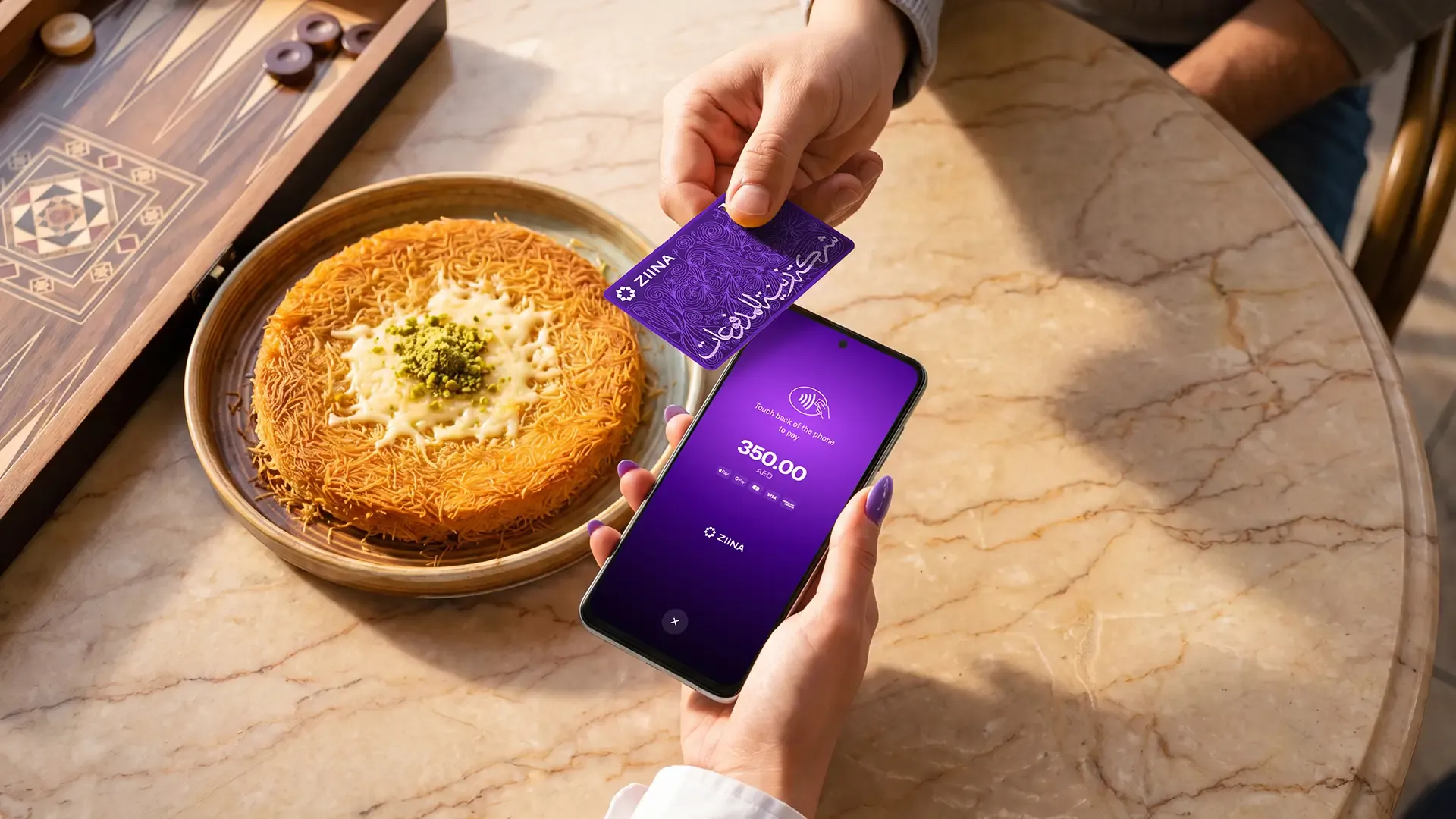
Customers tap their card or mobile wallet against your phone, and you're done. No separate reader required.
Tap to Pay might be right for you if:
- You want more flexibility than a traditional card terminal: Whether you're serving customers at a counter, tableside, or on the go, each team member can accept contactless payments using their own compatible phone instead of relying on shared hardware.
- You take payments in different places: If you visit customers at home, you can collect payment at the end of the appointment using the phone you already carry.
- Several team members collect payments: If you run a salon, restaurant, or service team, each person can use their own compatible phone instead of waiting for the same card machine.
And if your business later needs payments to connect with more detailed restaurant, stock, or multi-location operations, you can add those systems as your requirements grow.
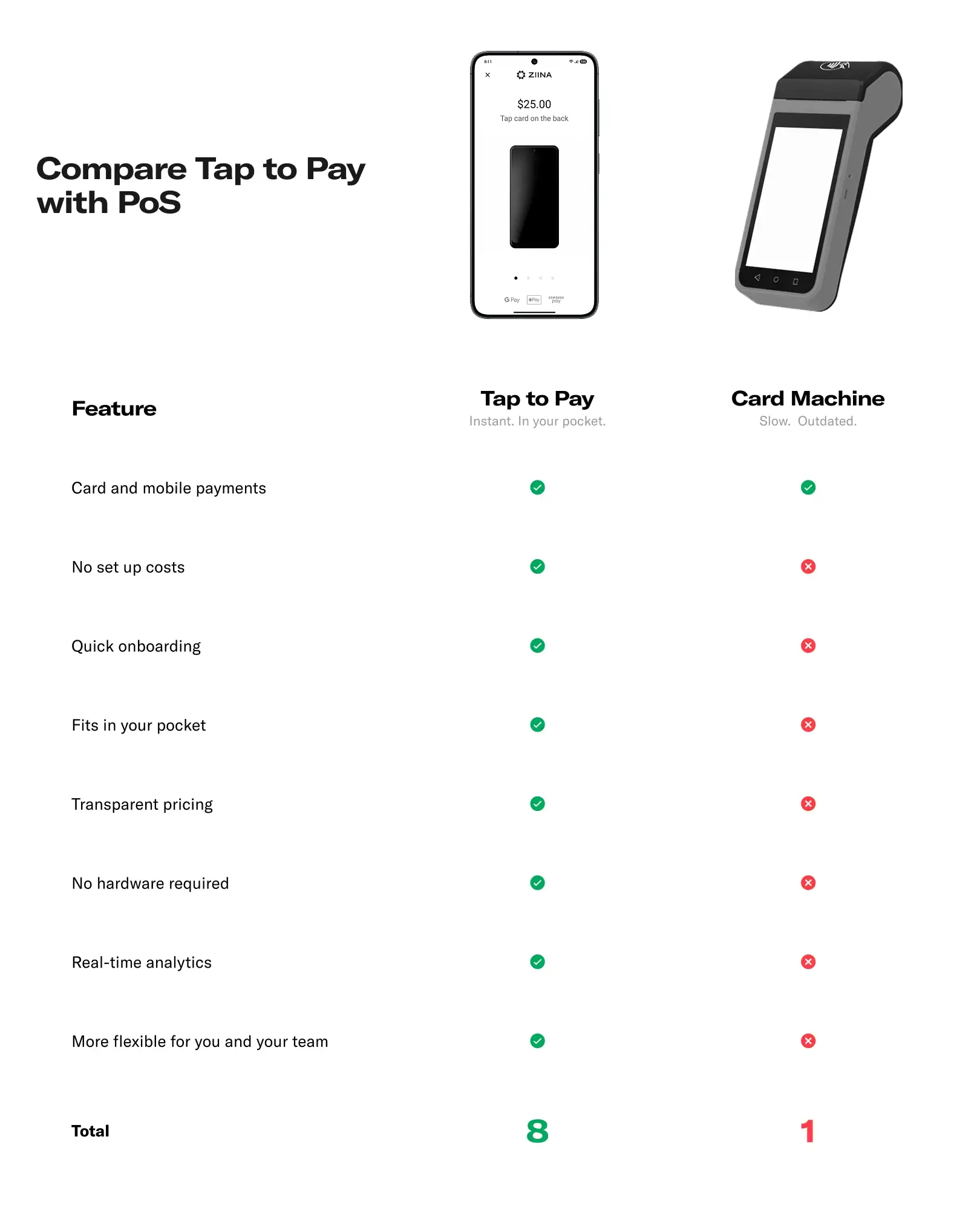
But that’s not to say POS machines are never a good fit. In fact, a POS system still earns its place for many merchants. Say you need every sale to update the rest of your operation. This includes things like complex restaurant orders, inventory tracking, or managing several locations at once. In that case, a full POS system could very well be the best tool for the job. Some POS systems also integrate with Tap to Pay solutions like Ziina, giving you more flexibility in how you accept payments.
So, the question isn’t if you need a POS system. It’s: “What do I need my payment setup to do, exactly?”
This table helps you work that out:
| What do you need your payment setup to do? | Best fit |
|---|---|
Bring payments, orders, inventory, staff, and different locations together in one system | Full POS system (with Ziina integration) |
Accept contactless payments from one fixed counter using dedicated hardware | POS terminal |
Give your team the flexibility to accept contactless payments on their phones, with fast setup, no dedicated payment hardware, and no terminal maintenance. | Tap to Pay |
If you’re leaning toward, “I just need customers to quickly pay using their phone, watch, or a contactless card in-person,” we’ll take a closer look at how Tap to Pay works with Ziina later in the article.
And if a full POS system or dedicated terminal still sounds like the best fit for you right now, here are five popular options available in the UAE.
Comparing five popular POS systems for small businesses in the UAE*
There’s no single “best” POS system for everyone. The right choice depends on what you need to manage beyond the transaction itself.
Some options give you a rock-steady way to take payments at a fixed counter. Others help you connect sales with stock, customer records, or kitchen workflows.
Here’s a quick comparison:
| Provider | Best fit | What it helps you manage | Hardware and setup | Pricing |
|---|---|---|---|---|
Network International N-Genius1 | Businesses that want a dedicated card terminal | In-person card and mobile-wallet payments, plus options such as QR payments and instalments | Requires an N-Genius terminal; integrated setups are also available | Quote-based; merchant agreements may include terminal rental and other account fees.1a |
Foodics2 | Restaurants, cafés, bakeries, food trucks, and cloud kitchens | Orders, kitchen and front-of-house workflows, restaurant reporting, and optional add-ons | Cloud-based restaurant POS with hardware selected around your setup | Custom UAE quote based on the hardware and software you choose.2a |
Sapaad3 | Restaurants managing dine-in, takeaway, delivery, and online orders | Orders, deliveries, inventory, food costs, and reporting | Cloud-based and can continue taking orders in offline mode | Pricing provided on request.3a |
Mahaal4 | Smaller retailers and service businesses | Transactions, products, orders, customers, and multiple stores | Available through web and mobile devices, with a seven-day trial | Seven-day free trial; contact Mahaal for paid-plan and hardware pricing.4 |
CompuCash5 | Retail, restaurant, hospitality, and event businesses that want a configurable POS | Sales, stock, customer records, employee access, and industry-specific workflows | Buy, rent, or use compatible existing hardware; local setup and training are available | Plans currently start at AED 300 per month, or AED 3,000 billed annually.5a |
Fees shown reflect publicly available standard pricing and may vary depending on card type, transaction volume, currency, settlement arrangement, additional services, and VAT.
Based on what you need, choose…
Network International for accepting in-person payments with a dedicated terminal
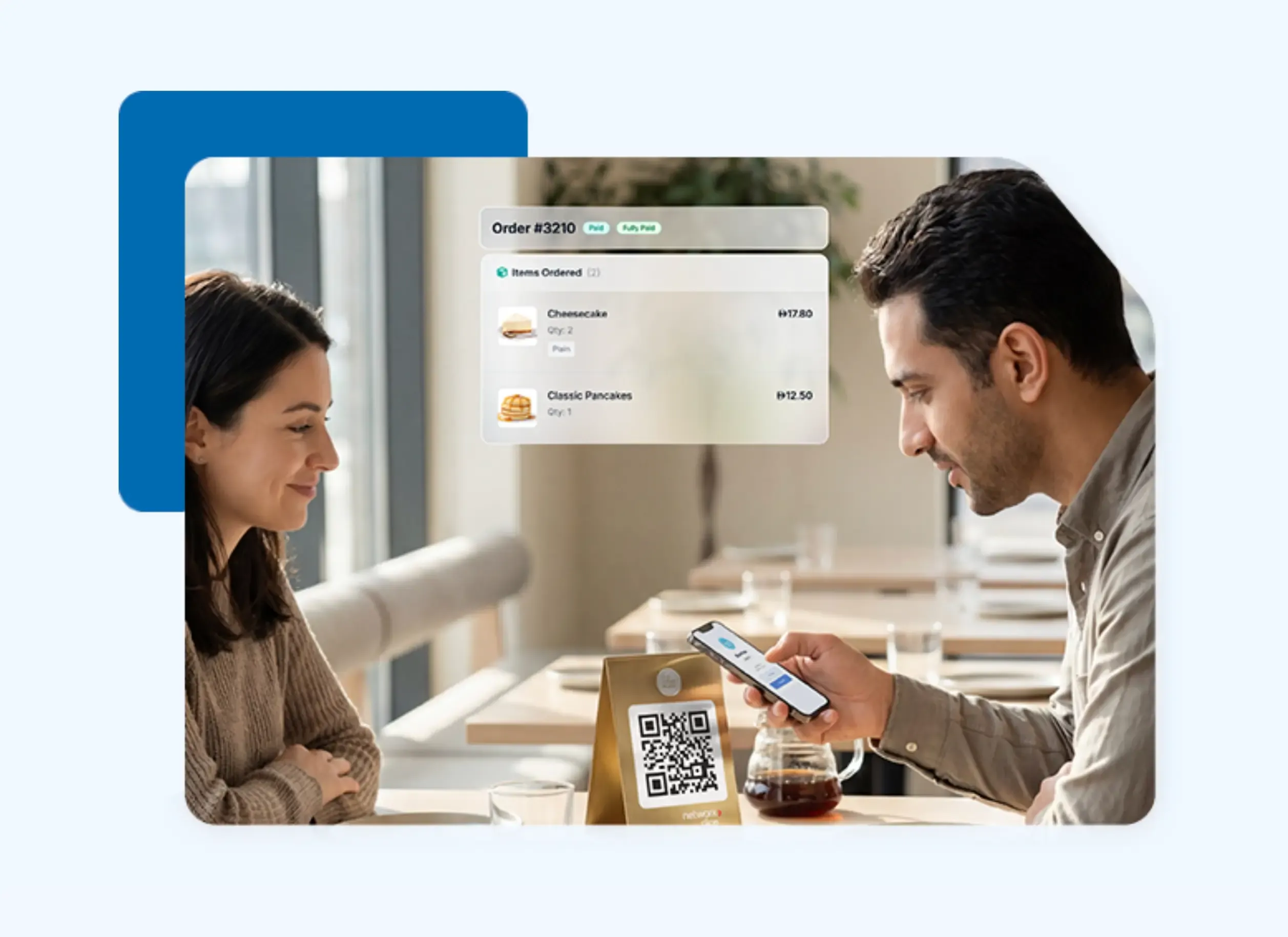
If you want the classic card machine experience at your counter, Network International’s N-Genius terminals are a reliable choice.
These terminals go beyond basic cards. They support Buy Now Pay Later, instalments, and even let customers pay via QR code if they prefer.1
If you already use software to run part of your business, you can often connect these terminals to your existing systems so your data stays connected.
This setup is great if you have a permanent checkout area and want a dedicated device that stays put. Pricing is tailored to your merchant agreement and might include terminal rental, statement fees, and processing fees based on your sales volume.1a
Foodics for connecting restaurant orders with kitchen and front-of-house operations
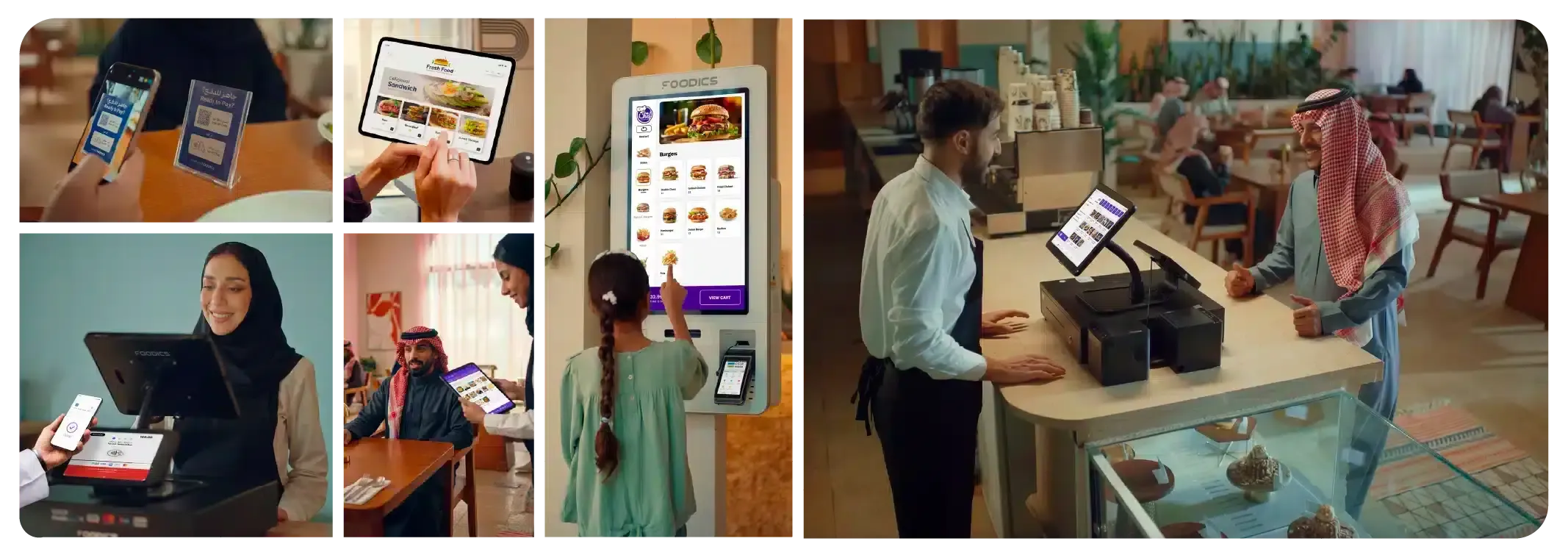
If you run a café, restaurant, bakery, or cloud kitchen, Foodics can help connect what happens at the counter with the rest of the service.
For example, a lunch order can move from the server to the kitchen, update its table or takeaway status, and appear in your restaurant reports.2
That makes Foodics a stronger fit when you need more than payment acceptance alone.
Foodics builds its UAE quotes around the hardware and software your restaurant needs, so your total cost will depend on the setup you choose.2a
Sapaad for managing dine-in, takeaway, delivery, and online ordering
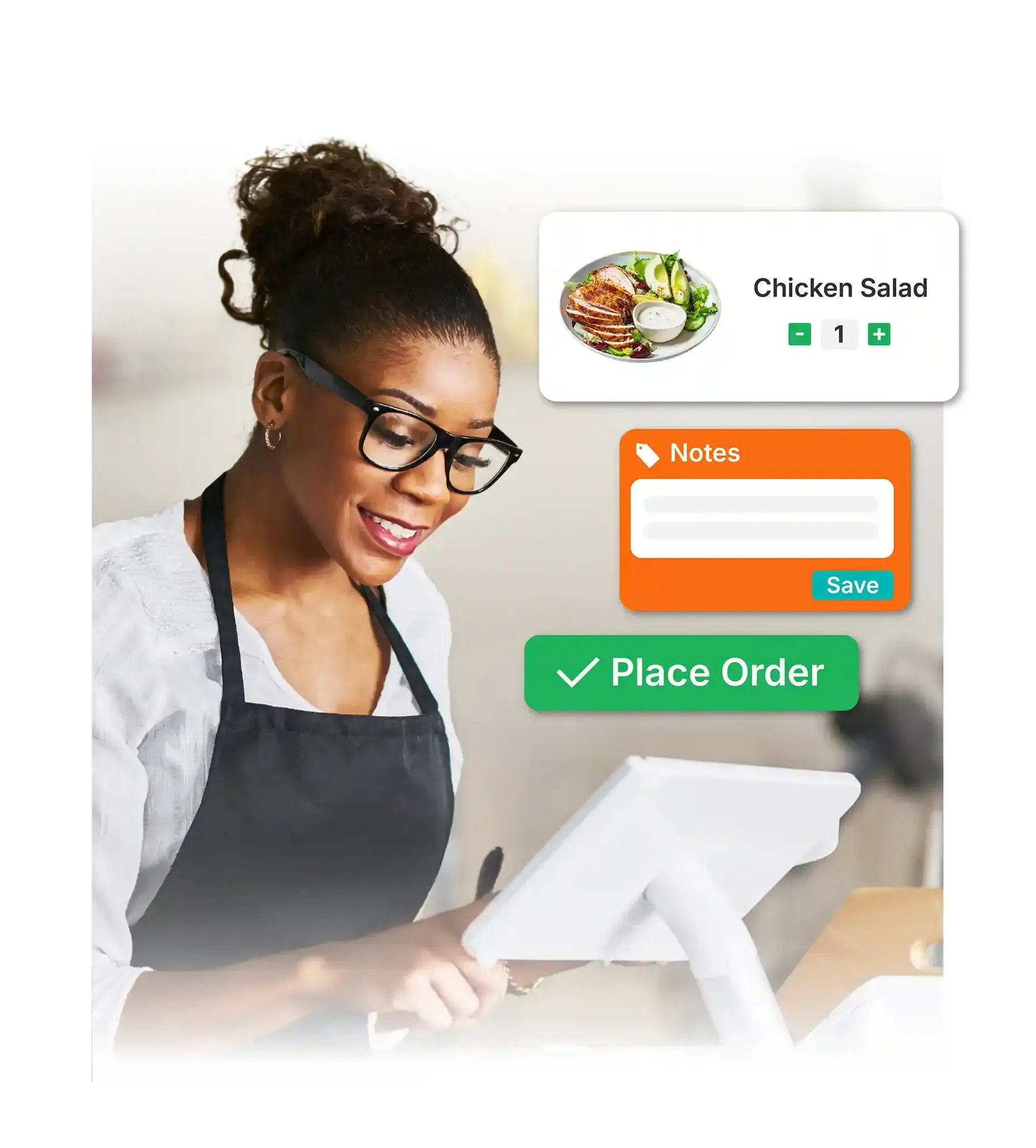
If your customers order through a mix of dine-in, takeaway, delivery, and online channels, Sapaad can help you manage those orders in one place.
For example, an online order and a table order can feed into the same restaurant system, while ingredient tracking and food-cost reporting help you keep an eye on what each sale means for the wider business.3
Sapaad also offers an offline mode, so your team can keep taking orders during an internet interruption and sync the data once the connection returns.
Pricing depends on the software, devices, and restaurant modules you choose.3a
Mahaal for keeping sales, products, and customer records together
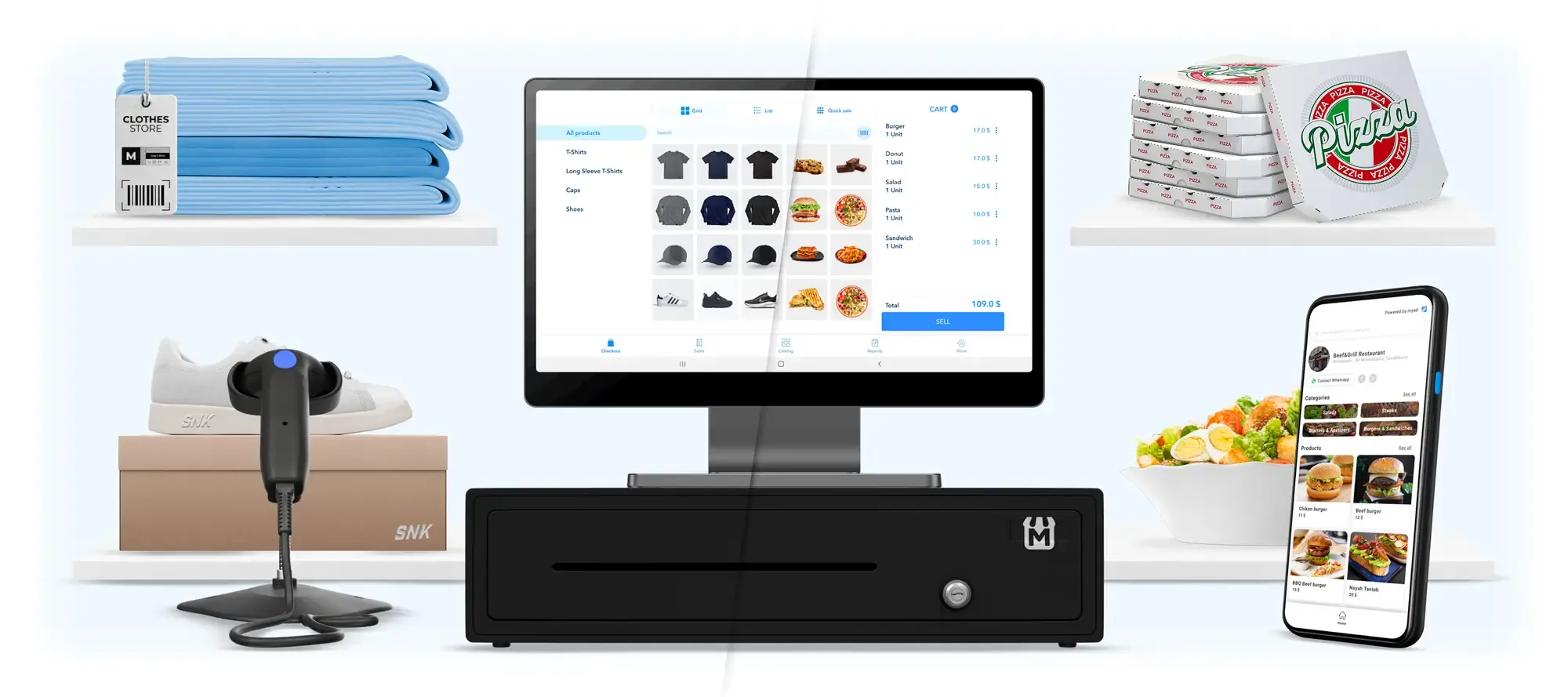
Mahaal can help boutiques, salons, repair shops, or other smaller storefronts manage transactions alongside products, orders, customers, and multiple stores.4
When you make a sale, for instance, you can keep the payment connected to the product and customer records you use to run the business rather than updating separate systems afterward.
Mahaal offers a seven-day trial, so you can test the platform before committing. Your paid plan and any additional hardware costs will depend on the setup you choose.
Note: Mahaal is now part of the inyad platform.
CompuCash for building a POS setup around your specific type of business

If you want a POS setup that can be adapted to the way your business operates, CompuCash offers options for retail, restaurant, hospitality, and event businesses.5
Let’s say you’re a restaurant. In that case, you can connect sales with kitchen workflows and food costs, while a retailer can use the same platform to keep sales and stock records aligned.
You can buy or rent hardware through CompuCash, or use compatible devices you already own.
Plans currently start at AED 300 per month, or AED 3,000 when billed annually, with the final cost depending on the software, hardware, and integrations.5a
How Tap to Pay works with Ziina
With Ziina, you can start taking payments through the phone you already own. Here’s how it works:
Accept payments directly on your phone – with no bulky hardware
With Ziina's Tap to Pay, your phone is the terminal.
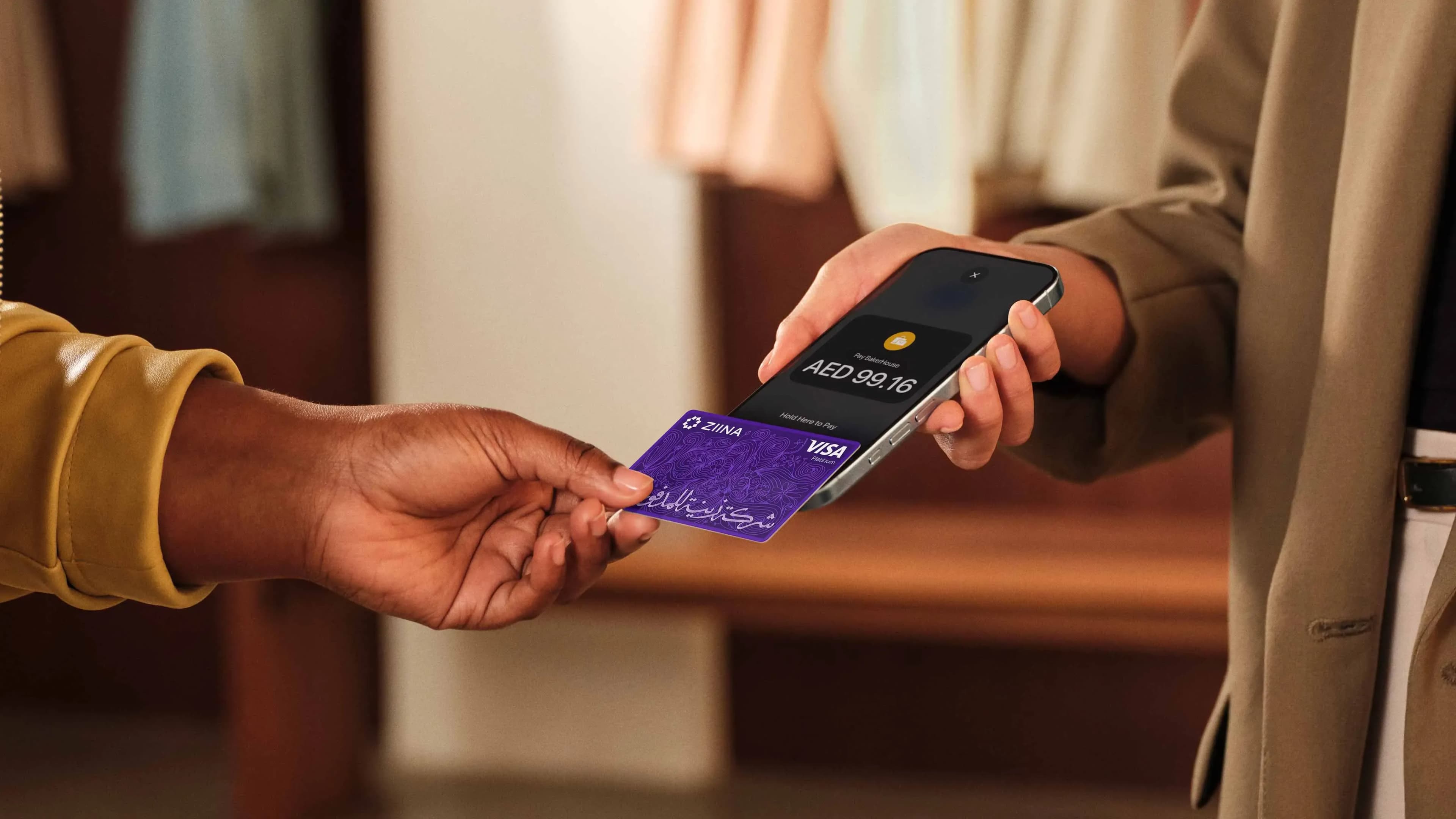
Taking a payment is simple:
- 1.Open the Ziina app and enter the amount.
- 2.Select Tap to Pay.
- 3.Have the customer tap their card or phone against your device.
The money appears in your Ziina account. Simple as that. You don't have to buy or carry extra hardware for yourself or your staff.
It’s also an affordable way to get moving because you only pay as you go. Ziina charges 2.6% + AED 1 per transaction (plus 1.5% for international cards). There are zero setup fees and no monthly subscription costs.
See Ziina’s pricing page for the latest information.
Give your whole team the power to accept payments on the go
Sharing one card terminal can slow your business down, especially if your team is working in different spots across a venue or the city.
With Ziina, you can invite your team to accept payments through their own phones. You stay in control by setting exactly what each person can see or do.
Here’s how to add your team to the app:
That’s exactly why Abu Dhabi-based barbershop Ace of Fades chose Ziina.
The business needed all five barbers to accept payments both in the salon and at customers’ homes. Buying five traditional card machines would have cost AED 7,500 upfront, though.
And the real frustration went deeper than money: card machines needed constant charging, regular updates, and someone always grabbed the wrong one for home visits.
“Picture this, a barber arrives at a client's villa, delivers an incredible service, then spends five minutes trying to get the card machine to connect. Or worse, realizes they forgot it entirely. That's not the experience we promised.”
Tap to Pay gave each barber a way to collect payments through the phone they already carried. No extra machine to charge, update, remember, or pass around.
Now, as Ace of Fades prepares to expand into Dubai, the team can give new barbers payment access simply by adding them to their Ziina account.
“I tell other salon owners all the time! We ditched our card machines and never looked back. Ziina changed how we think about payments. If I’d known about it when we opened, we would have saved so much time and money.”

Accept payments across more channels from one app
If your customers are everywhere, your payments should be, too. You might take a tap at the counter, send a link via WhatsApp, or issue a digital invoice for a corporate client.
Ziina puts all these methods in one app so you can track everything in one place:
- Tap to Pay: Turn a compatible phone into a POS machine and accept in-person card payments without buying separate card machine hardware.
- QR codes: Let customers scan and pay at a counter, pop-up, event, delivery point, or service location.
- Payment links: Share branded payment links through WhatsApp, Instagram, SMS, email, or other customer conversations.
- Digital invoices: Send more formal payment requests and let customers pay directly by card, Apple Pay, or Google Pay.
- Payment gateway: Add Ziina checkout to your Shopify, WooCommerce, WordPress, or custom website so customers can pay in your online store.
Let’s say you run a fashion brand. You can set up an online checkout, put payment links on your Instagram story or in customers’ DMs during the week, and use Tap to Pay at a retail outlet or pop-up. All types of payment appear in your Ziina account.
Turn your phone into a POS system with Ziina’s Tap to Pay
If you need to manage deep kitchen workflows or complex multi-store stock, a full POS system might be the right call, but reach out to Ziina, and we may be able to offer an integration with your POS system of choice.
But if you just need a fast, reliable way for customers to tap and pay, Ziina lets you start immediately with the phone in your pocket. No expensive hardware, no monthly fees, and no waiting.
*Disclaimer: All information relating to third-party products and companies featured in this article has been sourced solely from their respective public websites and official publications at the time of writing. Ziina makes no representations as to the accuracy, completeness, or currency of this information. Product features, positioning, pricing, and company details may have changed since publication. Readers should refer to each provider’s official website for the most up-to-date information before making any purchasing decisions.
**Disclaimer: Availability of Ziina products and features is subject to eligibility, successful verification, device compatibility, applicable transaction limits, Ziina’s terms and conditions, and regulatory requirements. Fees, limits, payout timelines, and product features may vary and are subject to change. Please refer to Ziina’s latest terms and pricing for full details.
This article was published in July 2026.
Sources
- 1.
- 2.
- 3.
- 4.
- 5.