How to accept payments online in the UAE: A practical guide

Products featured
If you want to accept payments online in the UAE, the first question is where your customers are buying from you.
Maybe you take orders through WhatsApp or Instagram. Maybe customers check out on your Shopify, WooCommerce, WordPress, or custom website. Or maybe you send invoices, collect deposits, or handle custom requests one customer at a time.
Each of those sales moments needs a payment method that feels easy for the customer and manageable for you. Get the setup wrong, and a simple sale turns into admin: you’re chasing transfer screenshots, collecting missing details, or matching payments to the right orders across different tools.
This guide will help you choose the right online payment setup for the way you actually sell, whether that means payment links, a payment gateway, invoices, or a mix of channels.
In this article:
- How to accept payments online from the UAE
- Decide whether you need payment links, a payment gateway, or both
- Choose the right payment provider
- Offer customers the right range of payment methods
- Keep online payments secure and trustworthy
- How Ziina helps you accept online payments in the UAE
Ziina helps UAE businesses accept payments through payment links, a payment gateway, Tap to Pay, QR codes, and digital invoices from one mobile app.
How to accept payments online from the UAE
To accept payments online from the UAE, you usually need a payment link, a payment gateway, or both.
The right choice depends on where the sale happens:
| Where the sale happens | Best payment setup | Why we recommend it |
|---|---|---|
WhatsApp, Instagram, email, or SMS order | Payment link | Your customer can pay online through the same chat where the conversation started |
Shopify, WooCommerce, WordPress, or custom website checkout | Payment gateway | Your customer can independently complete payment on your site |
Service booking, deposit, or custom request | Payment link or digital invoice | You can collect payment with all the details you need for that specific booking, deposit, or custom order |
Website + DMs + in-person events | Multichannel provider | You can accept payments across channels without stitching together separate tools |
We’ve laid out the steps below to help you choose a setup that matches how you sell now, without creating extra admin as your sales channels grow.
1. Decide whether you need payment links, a payment gateway, or both
First things first: Will you send the customer a link to pay, or will they check out on your website?
Use payment links when orders start in DMs or on social media
Payment links work well if you chat with customers through WhatsApp, Instagram DMs, email, or SMS, for instance.
Maybe they’re asking if an item is available, confirming a delivery address, placing a custom order, or agreeing to a quote.
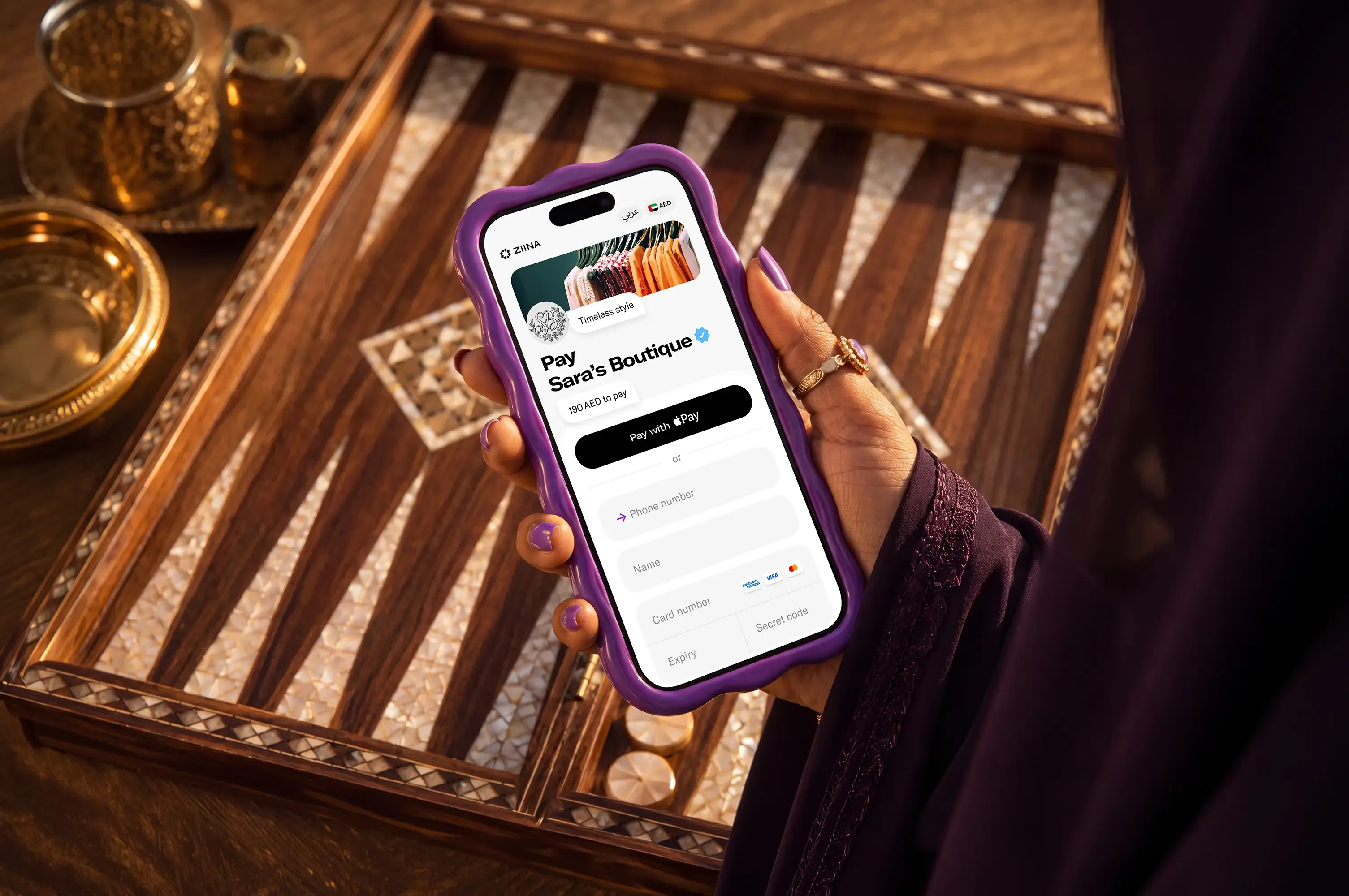
Instead of sending bank transfer details, waiting for a transfer screenshot, and piecing the order together across messages, you can send a payment link in the same conversation where the customer is ready to buy.
That’s especially helpful when the sale needs a little more context, like a delivery address for a bakery order, a custom note for a florist, or booking details for a service.
Here’s how it works with Ziina:
Use a payment gateway if website checkout is part of your plan
A payment gateway lets customers browse, add to cart, and pay directly on your website. This is usually the right setup if you’re building an eCommerce store on Shopify or on a custom site, for example.
You’ll want to choose a payment gateway provider that’s compatible with your website platform and supports the payment methods customers expect at checkout. In the UAE, that often includes cards, Apple Pay, and Google Pay.
With Ziina, you can set up a payment gateway for Shopify, WooCommerce, WordPress, or custom API integrations:
Use both if your customers buy in more than one place
The good news? You don’t have to choose just one. If some customers buy through your website and others order through messages, payment links and a payment gateway can work side by side.
For example, a fashion brand might use a payment gateway for website orders and payment links for custom items. A pop-up seller might take pre-orders through a website and use payment links for customers ordering directly through social media, while a salon could let customers book and pay on its website, then send payment links for deposits arranged over WhatsApp.
And that’s where your payment service provider (PSP) comes in…
2. Choose the right payment provider from the get-go
As a UAE-based business, you’re probably comparing providers like Ziina, Stripe, Telr, or Mamo.
Here’s how to narrow down your options and pick the one that’s right for you:
Make sure the provider supports your sales channels now and in the future
As we covered above, you might need payment links and a payment gateway working together, especially if customers buy from you in more than one place.
Some providers are built mainly for website checkout. Others are stronger for payment links, invoices, QR codes, or in-person payments.
The catch is that your first sales channel might not be your last. If you later add a website, pop-up shop, or deliveries, a single-channel tool can create more admin.
So, it could be a good idea to opt for a provider that supports how you sell now and later down the road.
Check how easy – and fast – it is to get started
Great, you’ve found the right provider!
…until you realize onboarding takes longer than expected or their setup doesn’t work with the tools you already use.
When evaluating payment processors, come armed with questions like:
- Is this payment provider’s setup and the payment methods they offer compatible with my website builder
- How long does onboarding and verification usually take before I can start accepting payments?
- Will I need a developer to get started, or can I set things up myself?
Add up the real cost (not just transaction fees)
Payment costs can look very different once you go beyond the headline transaction fee.
One provider might advertise a lower rate but add monthly charges or high fees for international cards and currency conversion. Another might do the opposite: transaction fees are higher, but with no monthly fees, you don’t need to pay during quiet months.
The right model depends on your volume and margins. If you’re a seasonal seller, you probably don’t want to pay a subscription each month. But if you’re a high-volume eCommerce brand, lower transaction fees will go a long way once everything adds up.
Look at how quickly payouts can hit your bank account
Making a sale is one thing. Being able to use that money is another.
If payouts take several days, you might have to cover business expenses or restock before the money you earned actually arrives in your account.
That could very well be manageable if you have steady cash reserves. But if you’re still growing, testing demand, or relying on each sale to cover the next order, payout timing matters a whole lot more.
So, compare how quickly funds settle with each provider, where they settle (is there a wallet for funds you can use right away, for instance?), and how easily you can move them to your linked bank account.
3. Offer customers the right range of payment methods
When a customer opens your online checkout, they only have one goal: pay. It’s at this point that any kind of friction could very well cost you a sale.
Here’s what to keep in mind when you’re deciding which online payment methods to offer:
Prioritize familiarity and variety to make payments as easy as possible
Payment preferences vary depending on where your customers are based and what they expect at checkout. What you want is to:
- Offer a variety of payment methods to appeal to as many customers as possible
- Include payment methods that are locally recognized and trustworthy
For UAE customers, that usually means major cards and digital wallets like Apple Pay and Google Pay. The latter is especially important, especially for phone-based purchases – the less customers have to type and click, the better.
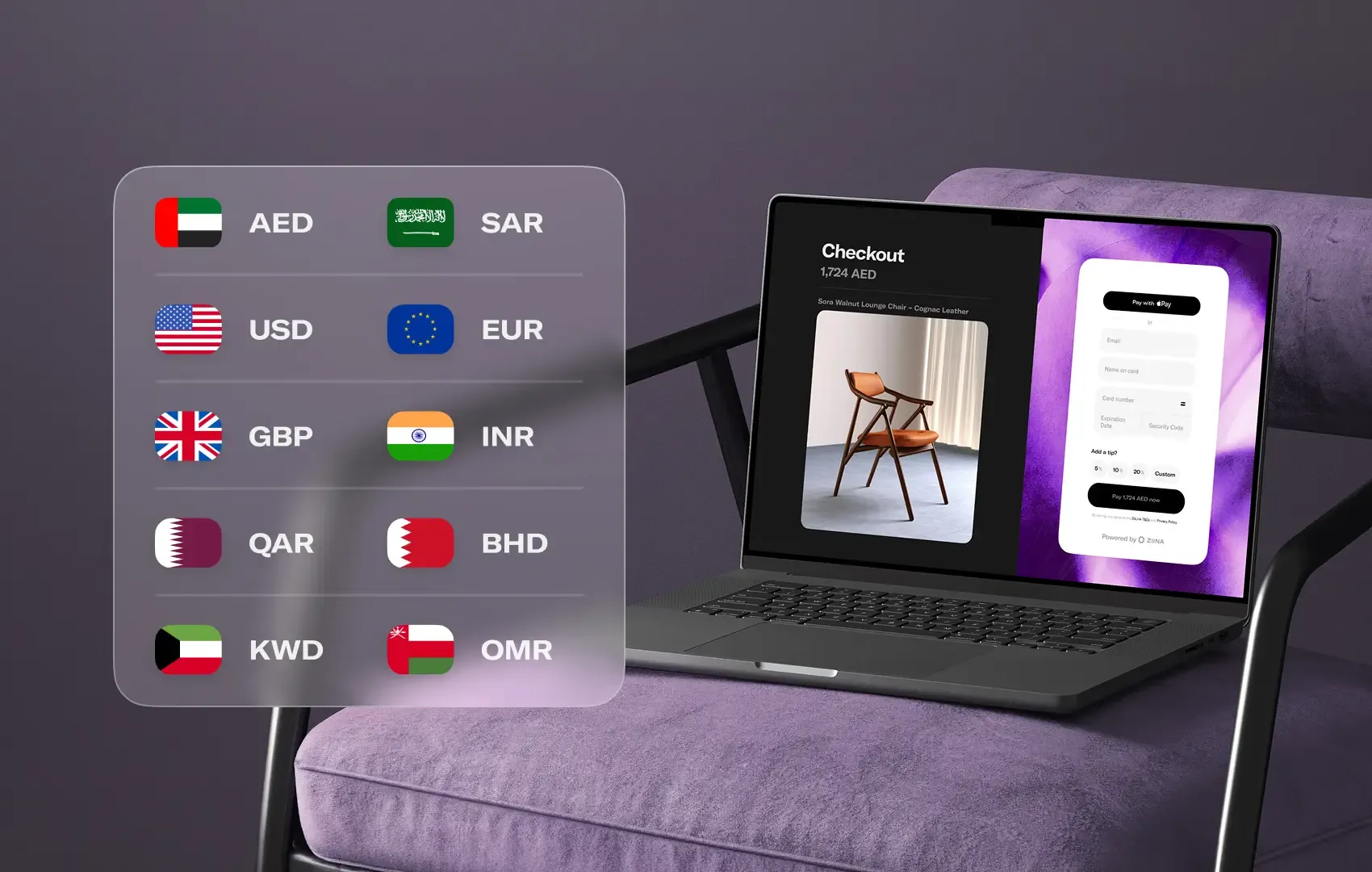
Note: If you accept international payments from tourists or customers abroad, currency plays a role, too. Showing the payment amount in the customer’s preferred currency can make the final cost clearer and reduce hesitation.
…but don’t overcomplicate your checkout with too many options
Every payment method needs to earn its place.
If customers regularly ask to pay by card, Apple Pay, or another option, adding it can remove friction. But if only a few customers actually use a payment method that also adds to your fees and work… the cons might outweigh the pros.
What’s more, too many choices can make your checkout look messier than it needs to be and confuse customers at the exact moment you want payment to feel simple.
Sometimes, less is more. For smaller businesses, the best move is to focus on the payment methods customers actually use – not add more options just for the sake of it.
4. Don’t underestimate the power of a secure and trustworthy checkout
When customers pay online, they’re trusting you with their card details and their money. If something feels off, they might – quite understandably – drop off before paying. And if your setup doesn’t have the right safeguards, you could end up dealing with fraud, disputes, or support issues that take time away from the rest of your business.
A good checkout experience should help customers pay without second-guessing it, and give you a simple way to spot and fix issues if something goes wrong.
On that front, make sure you have:
- Strong payment security. Choose a provider that uses PCI-DSS certified technology, encryption, and secure card data handling. Your own account security matters, too, so look for safeguards like biometrics and PIN codes to help keep your account protected.
- Clear, recognizable payment requests. Branded payment links, clear invoices, and a consistent checkout experience help customers know they’re paying the right business. This matters even more when payment starts in a DM instead of on your website. Every payment request should clearly show your business name, the amount due, and what the customer is paying for
- An easy way to handle payment issues. Even with a secure setup, things can still go wrong. A card might fail, a customer might ask for a refund, or a transaction could be disputed. Before you start accepting payments, check how easy it is to review transactions, find customer details, issue refunds, and contact support.
How Ziina helps you accept online payments in the UAE
By now, you know the right online payment setup has to fit how you sell.
That’s where Ziina comes in. We help businesses, freelancers, and entrepreneurs start accepting payments quickly and easily add more sales channels as they grow.
Here’s how Ziina can help you put the right payment setup into action:
Use one app for payment links, a payment gateway, and more
With Ziina, you can manage all of these payment options from one mobile app:
- Payment links: Share branded payment links through WhatsApp, Instagram, SMS, email, or other customer conversations. Our ZiiBoard lets you create and send payment links right from the keyboard on your phone without leaving the chat.
- Payment gateway: Add Ziina checkout to your WooCommerce, Shopify, WordPress, or custom website so customers can pay online through a branded checkout experience. An average checkout time is 4 seconds.
- Digital invoices: Create invoices in the Ziina app, send them through the right channel, and let customers pay by card, Google Pay, or Apple Pay.
- QR codes: Let customers scan a code on your phone or a printed version and pay instantly from their phone.
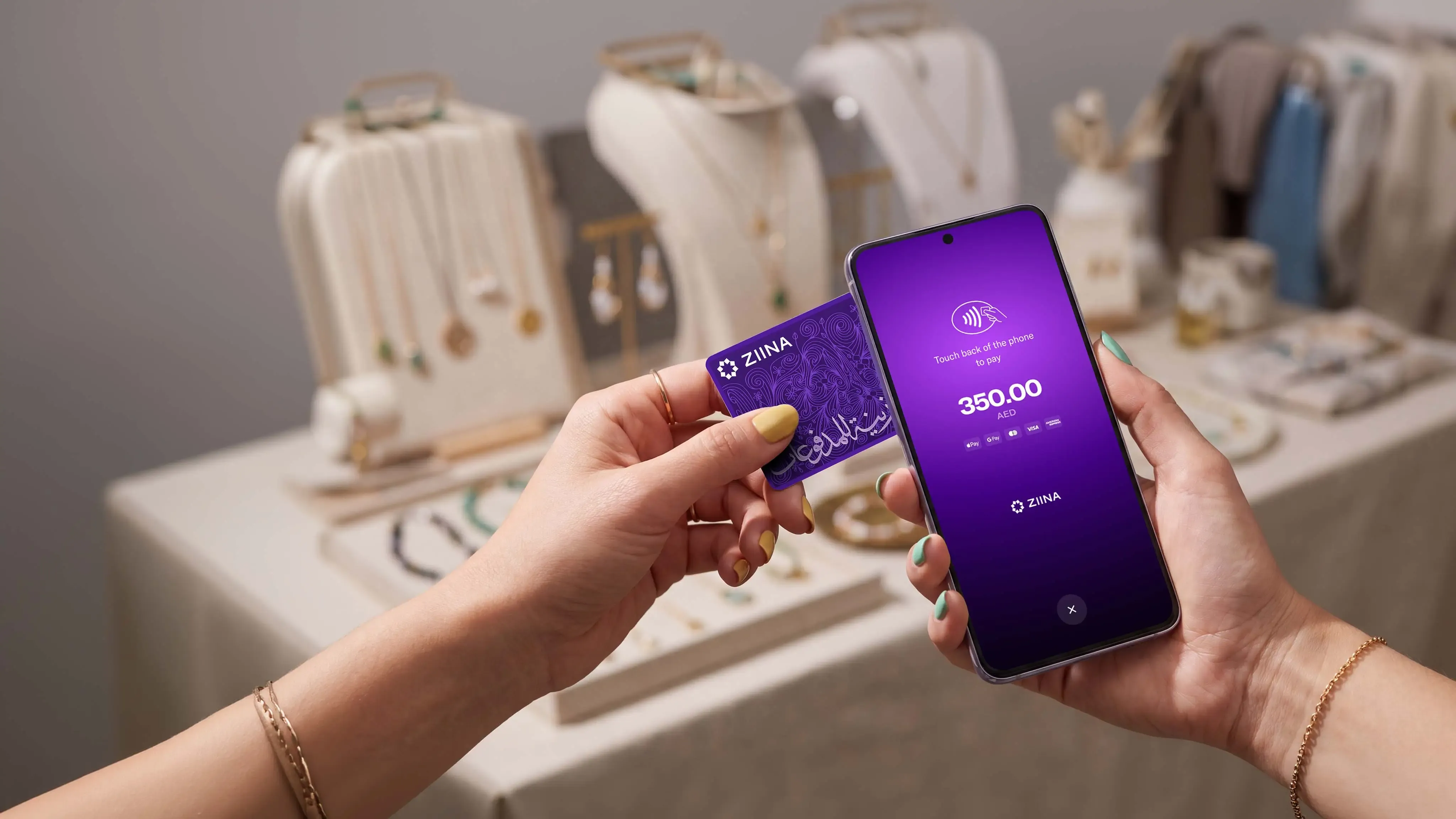
- Tap to Pay: Turn a compatible phone into a POS machine and accept in-person contactless payments right from your phone.
Even if you sell through one channel for now, you can expand later without rebuilding the whole payment setup.
That’s actually why OLAH Haircare chose Ziina. Before launching their DTC website, the Dubai-based beauty brand was selling through Instagram and WhatsApp, where manual transfers, payment screenshots, and cross-border transactions created a lot of friction.
After launching their website and integrating Ziina’s payment gateway, payment links, and ZiiBoard, OLAH reduced abandoned carts by 35% and saw 30% month-on-month revenue growth.
“Ziina has eliminated the hassle of slow transactions and reduced cart abandonment. Instant payments through credit cards and Apple Pay are incredibly convenient for us and our customers.”

Go live and cash out quickly
With Ziina, you can open a Ziina business account, start accepting payments, and manage incoming funds through your Ziina wallet – with no opening fees, monthly fees, or minimum balance.
Our standard fees are 2.6% + 1 AED per transaction, plus a 1.5% fee for international cards and/or non-AED currency. Check Ziina’s pricing page for the latest terms.
When a customer pays you, the money goes into your Ziina wallet. Eligible users may be able to cash out instantly. Otherwise, cashouts take 1–2 business days for amounts below AED 25,000, subject to bank processing times.
You can also spend straight from your wallet with the Visa-powered Ziina Card wherever Apple Pay and Google Pay are accepted.
Verification requirements depend on your business, use case, and risk level, so exact timing can vary. But our onboarding is designed to be quick – which is how UAE businesses like Stretch It Out started accepting payments with Ziina in just 48 hours instead of waiting weeks to launch.
Grow with a secure payments app homegrown in the UAE
Ziina offers local support in English and Arabic, so you can get help from a team that understands the UAE market.
Ziina also uses PCI-DSS certified technology, encryption, biometrics, and PIN codes to help protect payment data, account access, and transaction activity.
For customers based outside the UAE, we support payments in up to 10 currencies. Once your multi-currency link generated from the app is live, customers can choose their currency, while settlements to your Ziina wallet are processed in AED at Visa’s exchange rate.