
How to start selling on Instagram as a UAE business: A guide

Products featured
Picture this: A customer discovers your business on Instagram, loves what they see, sends you a DM asking if an item is available, and says they're ready to buy. Then comes the trickier part: figuring out how they'll actually pay you.
For businesses in the UAE, this is a common challenge. While Instagram is a powerful platform for showcasing products, building your brand, and connecting with customers, its native in-app checkout features aren't currently available in the UAE. That means you'll need another way to turn interested followers into paying customers.
In this guide, we'll walk you through how to start selling on Instagram step by step. We'll also show you how payment links can help you accept payments directly from Instagram DMs, Stories, or your bio.
We’ll discuss:
- How to start selling on Instagram: 5 steps
- Apply for a trade license (and possibly an influencer permit)
- Set up an Instagram Professional account and Meta Commerce Manager
- Add your products to Meta Commerce Manager
- Market your shop by tagging products in your posts
- Sell via payment links in DMs and on Instagram Stories
- How to sell on Instagram using Ziina’s Payment Links
Ziina is a payments app built for UAE businesses that need a fast, simple way to accept payments. When you sign up with Ziina, you can share customized payment links over Instagram and receive your funds in just 1-2 business days (and often within 24 hours, subject to bank processing times).
How to start selling on Instagram in 5 steps
1. Apply for a trade license (and possibly an influencer permit)
Ready to start selling on Instagram? First, you’ll need to make sure your business has the right licence. Depending on how you plan to sell, you may need one or both of the following:¹
1) Trade license
All businesses in the UAE must have a valid UAE trade license (also called an e-commerce or commercial license). In Dubai, mainland licences are issued by Dubai Department of Economy and Tourism (DET). Other emirates have their own licensing authorities.
If you’re setting up your business in one of the UAE’s specialized free zones – such as DMCC or DIFC in Dubai – you can apply for a trade license directly through the relevant free zone authority.
Licensing fees vary depending on the emirate, free zone, permitted activities, visa requirements, and more.
To find out more, read our article: The real cost of setting up a business in Dubai
2) Influencer license
If you personally publish promotional content for other businesses (like sponsored posts or affiliate promotions), you may need an advertiser permit (also sometimes called an influencer license), which is usually obtained through the UAE Media Council.
UAE residents generally need an appropriate trade license before obtaining the permit, though you should check with the relevant authorities for further information.2
2. Set up an Instagram Professional account and Meta Commerce Manager
Your Instagram Professional account is where customers discover your business, while Meta Commerce Manager helps you manage product catalogs and advertising across Meta's platforms.
Start by switching your Instagram profile from a personal account to a professional account. Then complete your profile by adding your logo or profile photo, a business description, contact information, and a link to your website or checkout page.
Next, create or access Meta Commerce Manager through your Meta Business account. From there, you can:
- Create and manage a product catalog
- Connect your catalog to Meta advertising
- Run catalog-based advertising campaigns across Instagram and Facebook
- Sync your catalog from platforms like Shopify
Note: Meta Shops and some shopping features are only available in supported countries. While businesses in the UAE can use Commerce Manager to manage catalogs and advertising, the full Instagram Shop experience and native checkout aren’t currently available.
3. Add your products to Meta Commerce Manager
Your product catalog stores information about your products, including names, descriptions, prices, images, and website links.
If you already sell through Shopify or another supported ecommerce platform, you may be able to sync your catalog automatically.
Meta may also review your catalog and business to ensure they comply with its policies and eligibility requirements before certain commerce features become available.
Note: For UAE businesses, the catalog primarily supports product advertising (rather than a native Instagram Shop checkout experience).
4. Market your shop by tagging products in your posts
Now the fun part: marketing your business and actually making your posts shoppable.
Once you have product photos (or promotional material) and go to create a post, tap on “Tag products” before you hit publish. You’ll be able to select products directly from your catalog.
Your customers can access your shop by clicking on a product tag, or by going to your main profile and clicking your website link.
5. Sell via payment links in DMs and on Instagram Stories
For UAE-based businesses, Instagram’s native payment processing system isn’t available in the region at the time of writing July 2026. Instead of checking out on the app, your customers will be redirected to your online store to finish making their purchase.
This step can come with some friction – for example, a shopper might lose interest while waiting for your website to load or decide not to complete their purchase after being redirected away from Instagram.
An alternative option for your Instagram checkout is to use payment links, which are shareable URLs that allow your customers to pay you simply by clicking on the link and entering their card details.
On Instagram, you can either send links to customers in one-to-one chats, or you can post them on your Stories to promote a new product to all your followers at once.
How to sell on Instagram using Ziina’s Payment Links
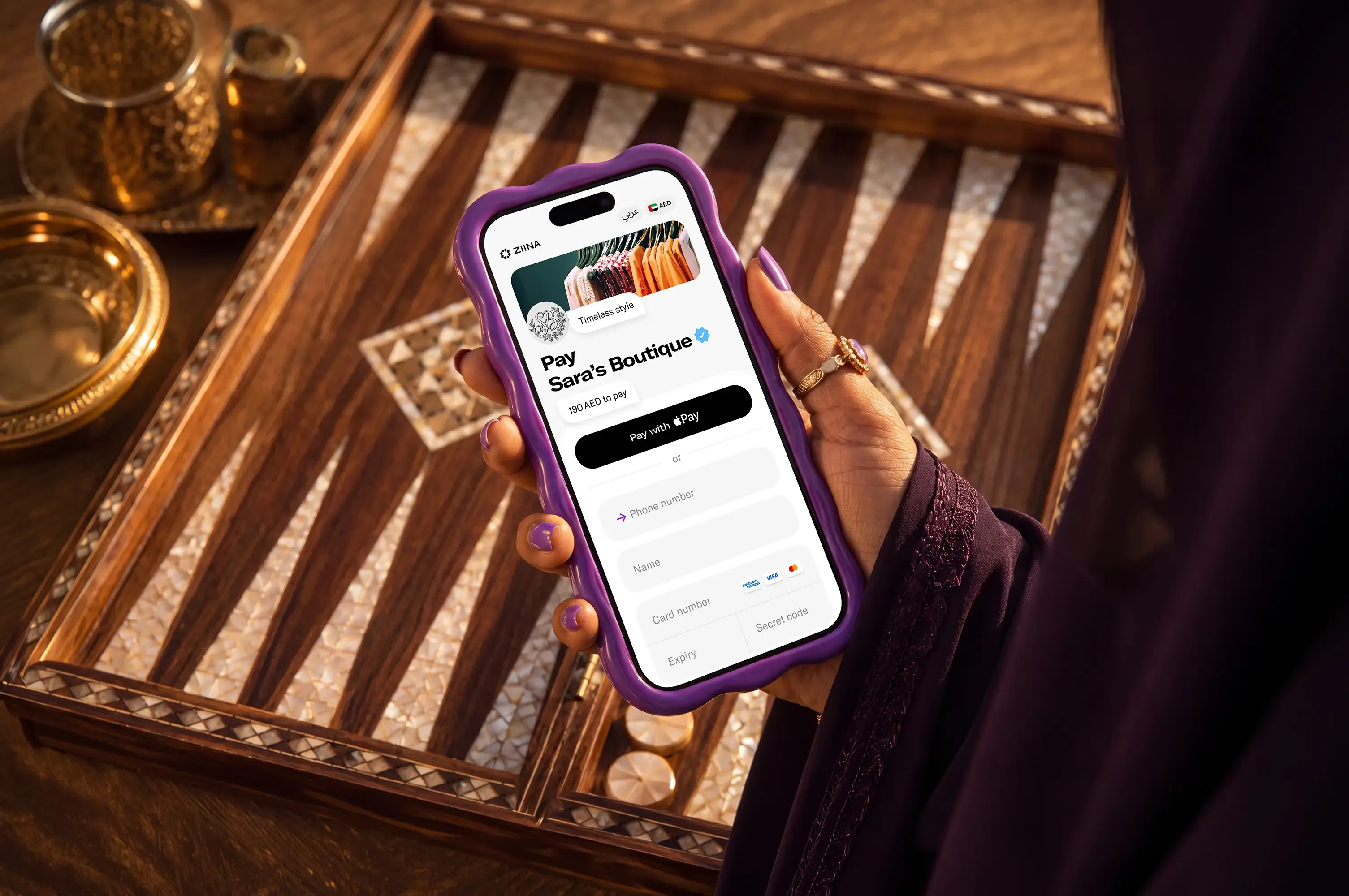
Ziina* is a UAE-based payments app. We help customers accept payments smoothly over platforms like Instagram, WhatsApp, and other social media channels with Payment Links.
For example, our customer The Expat Group reports that customers can complete checkout in around 15 seconds using payment links as their main checkout method.
Here’s what you can do with Ziina:
Reduce friction at checkout by giving customers an easy and clear way to pay by link
The easier it is for customers to pay, the more likely they are to complete their purchase. Our payment links help you cut out unnecessary steps by giving customers a direct, secure way to pay that doesn’t require a website.
For example, you can:
- Use the same link for repeat orders: There’s no need to generate a new URL for every single sale, even if you’re accepting payments from international customers in different currencies.
- Edit your links after they’re live: Our links are free to create and can be edited even after they go live. This helps you build a custom checkout experience that fits your brand. For example, you can toggle specific fields on or off, such as requesting contact info, asking for a delivery address, or adding a tip option.
- Accept payments from all customers: Your customers don’t need to have a Ziina account in order to use your link.
- Give customers flexible payment options: Customers can pay securely using Apple Pay, Google Pay, and major credit and debit cards like Visa, Mastercard, or Amex. Card details are entered securely at checkout, so you never need to handle payment information over DMs.
- Collect payments in multiple currencies: Customers can pay in 10 non-AED currencies, including USD, EUR, GBP, SAR, and OMR, among others.
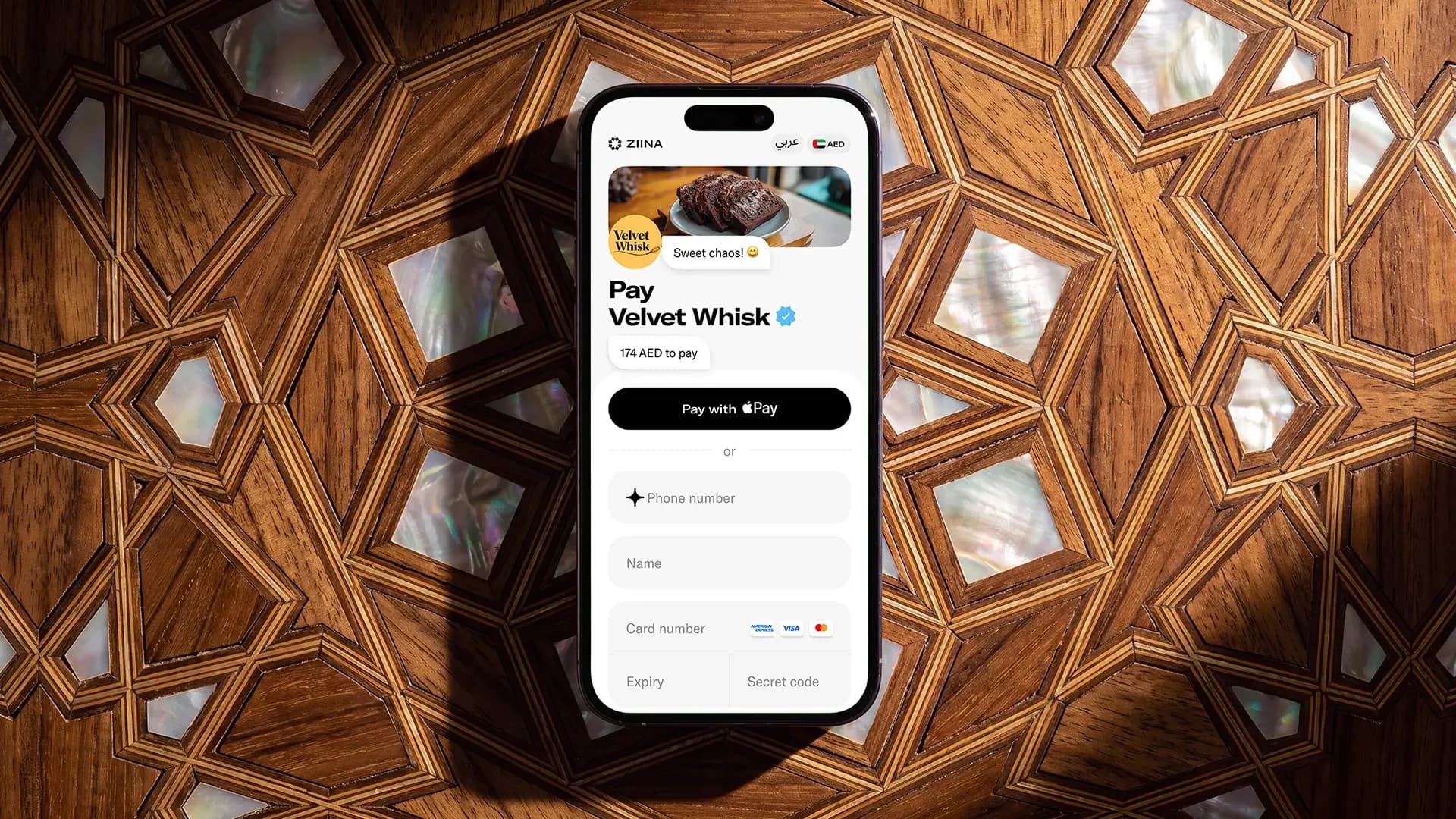
In terms of pricing, our payment links are free to create and only cost 2.6% + AED 1 per transaction, plus applicable VAT and additional charges of 1.5% for international cards or non-AED payments. There are no monthly subscriptions or hidden fees. For the latest pricing terms, please consult Ziina’s pricing page.
ZiiBoard
Our ‘ZiiBoard’ is a custom keyboard that works a bit like a POS for your DMs.
Open a Ziina account quickly and start accepting payments
Opening an account with Ziina is quick and easy, which is how our customer Stretch It Out was able to launch payments in just 48 hours:
“In my previous experience with payment platforms, I faced endless delays and just knew that this time, I needed something faster,” said the founder Dina Zoa. “For us, the payment links are a game changer. I just type the amount, send a link through WhatsApp, and the payment comes through. I don’t have to jump through a complicated process.”
Today, Dina Zoa uses Ziina for everything, from selling packages over social media to taking in-person payments via QR stands at her studio.

How Stretch It Out launched in record time using Ziina’s payment system
Once you’ve got a Ziina account, you can start accepting payments. Just send the link to your customers, and once they pay, your funds will land in your Ziina wallet. From there, you have two options:
- Spend from your Ziina balance once funds are available in your wallet.
- Cash out to your linked UAE bank account in 1–2 business days for amounts under 25K AED (24h cash-out is available to eligible users), subject to bank processing times.
Sell across multiple channels with our all-in-one payments platform
Payment links are just one way to accept payments with Ziina. You can also choose from a range of payment options designed to help you sell both online and in person:
- QR codes: You can set up physical QR codes for in-person markets, salons, or cafes. Your customers just scan the code and pay instantly from their phones, even if you’re not there to accept the payment.
- Tap to Pay: Turn your phone into a portable POS machine. This saves you from buying expensive POS hardware; it’s a low-cost, mobile way to take card payments wherever you go.
- Payment gateway: Add a payment gateway to your Shopify, WooCommerce, or custom site with our pre-built, no-code plugins or API options.
- Invoicing: Create professional invoices and send them through any social channel in seconds.
Every payment is automatically tracked and categorized in the Ziina app, keeping all your revenue data together in one place.
Sign up for Ziina and start selling on Instagram.
*Disclaimer: Licensing requirements vary. Please confirm what applies to your business with the relevant authority.
Availability of Ziina products and features is subject to eligibility, successful verification, device compatibility, applicable transaction limits, Ziina’s terms and conditions, and regulatory requirements. Customers are responsible for ensuring they hold any trade license, permit, tax registration, or other approval required for their business activities. Fees, limits, payout timelines, and product features may vary and are subject to change. Please refer to Ziina’s latest terms and pricing for full details.
This article was published in October, 2026.
Sources:
- https://uaqftz.gov.ae/blogs/uae-media-law-2025-why-influencers-now-need-two-licenses-to-stay-legal
- https://www.nma.gov.ae/en/services/permit-for-an-individual-to-provide-advertising-or-media-content-on-social-media-and-other-digital-platforms
- https://gulfnews.com/uae/government/uae-implements-new-media-law-with-penalties-up-to-dh1-million-for-violations-1.500151242
- https://help.instagram.com/502981923235522/
- https://www.facebook.com/business/help/2347002662267537?helpref=faq_content