

Products featured
Apple Pay is one of the fastest and most trusted checkout methods for UAE shoppers, but adding it to your website isn't always as simple as flipping a switch.
There are a few ways to integrate Apple Pay, from using website extensions from your website builder to integrating a plugin from your payment service provider (PSP). For custom websites, you may need to use the PSP’s API solution.
For most e-commerce sellers, we recommend using a payment provider’s plugin because:
- Many plugins are compatible with almost every type of website
- You don’t need to do any complex coding
- You also aren’t limited to the features that your website builder offers
In this guide, we break down:
- How to integrate Apple Pay with a website builder using a payment provider’s plugin
- How to integrate Apple Pay with a custom website using a payment provider’s API
- Choosing the right payment provider to offer Apple Pay on your website
- How Ziina can help you integrate Apple Pay, Google Pay, and other payment methods with your website
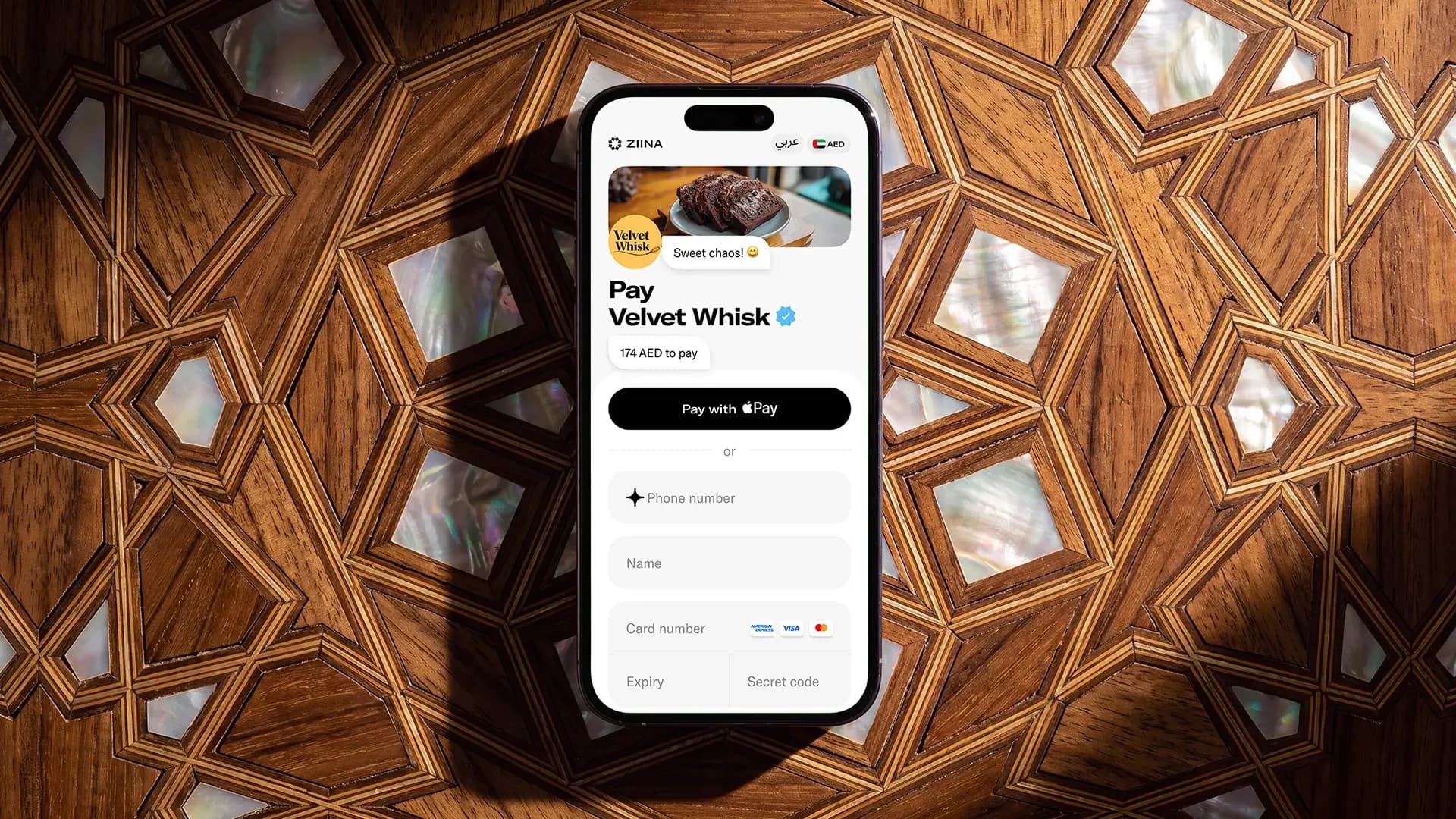
Ziina is a payment provider and mobile app that supports Apple Pay across your online checkout, payment links, and more. Integrate Apple Pay with WooCommerce or custom websites via easy plugins and customizable API solutions:
How to integrate Apple Pay with a website builder using a payment provider’s plugin
It’s usually quite easy to integrate Apple Pay when you’re using a pre-built website such as WordPress or Shopify.
This is because Apple Pay itself doesn’t process payments – it only handles the payment authorization through Face ID, Touch ID, or your customer’s device passcode on compatible iOS devices. Your payment provider is the one who actually processes the transaction in the background.
As such, many payment platforms make it simple for you to integrate Apple Pay on your website using a plugin.
Here’s a breakdown of how you can add an Apple Pay plugin to your WooCommerce website with Ziina as an example:
- 1.After you’ve created an account, you’ll need to create an API key, which is a unique number that allows you to connect to Ziina’s software. Think of it like a secure password.
- 2.Next, log in to your WooCommerce website and select ‘Add new plugin’ from the sidebar.
- 3.Search for Ziina’s name and then install our plugin.
- 4.To configure your plugin, click on WooCommerce in the left sidebar and click on ‘Settings’.
- 5.Ensure that Ziina’s icon is toggled on.
- 6.Next, enter your API key in the field ‘API key’ and click ‘save changes.’
- 7.Done!
How to integrate Apple Pay with a custom website using a payment provider’s API
If you have a custom website, you typically don’t need to integrate directly with Apple Pay yourself. Instead, you can use your payment service provider’s Application Programming Interface (API) to add a checkout that already supports Apple Pay.
The exact integration process depends on the checkout options your payment provider offers, but some common approaches include:
Hosted checkout
A hosted checkout is usually the simplest API integration. Your website creates a payment session or payment link through your provider’s API and redirects the customer to a checkout page hosted by the payment provider.
The provider manages the checkout experience and payment methods, including Apple Pay, so you don’t need to build or maintain the payment interface yourself.
Embedded checkout
Some payment providers also let you embed their checkout directly into a page on your website.
In this setup, you control the surrounding page and customer experience, while the payment provider controls the secure payment widget itself. Depending on your provider, you may need to submit your website domain so it can be registered and verified for Apple Pay.
More customized integrations
Some payment providers offer additional APIs that give developers more control over the checkout experience. For example, a provider could offer custom card components that allow you to adapt parts of the payment interface to your website’s design.
The setup and level of customization available vary by provider, so you’ll need to follow your PSP’s documentation for the specific integration you’re using.
For more information on what Ziina specifically offers (such as embedded checkout or hosted checkout), refer to our custom API integration guide.
Choosing the right payment provider to offer Apple Pay on your website
As you can see, adding Apple Pay is much faster when you use a payment provider. They handle the heavy lifting, like security certificates and server configurations, so you can focus on your main goal: sales.
But not every provider is the same. Here’s how to find a partner that actually helps you scale:
- Licensed and authorized to provide the relevant payment services in the UAE: Look for a provider with Apple Pay SDKs (Software Development Kits) that are already configured for the UAE market.
- Works with your specific website setup: Don't assume every business payment solution supports your site. Confirm if they have plugins for WordPress, WooCommerce, or another builder before signing up.
- Keeps things low-code: You shouldn't need a full-time developer just to add a checkout button. Look for "plug and play" options.
- Supports all the "Pays" and other payment methods: Your customers use more than just Apple Pay. Make sure you can also accept Google Pay and Samsung Pay through the same interface, as well as debit and credit cards.
- Provides local, human support: If a payment fails at 11:00 AM on a Tuesday in Dubai, you don’t want to wait for an international provider in a different time zone to wake up. Check where the support team is based and how they can assist.
Read more: A full comparison of payment providers in the UAE
How Ziina can help you integrate Apple Pay, Google Pay, and other payment methods with your website
Ziina Payment L.L.C. is licensed and regulated by the Central Bank of the UAE as a Stored Value Facility provider.
Our platform is homegrown in Dubai and made for freelancers, e-commerce sellers, and SMEs in the Middle East that want to accept Apple Pay payments across multiple channels. Our Apple Pay integrations are configured for use in the UAE and designed to meet the applicable requirements for the payment services Ziina provides.
Here’s what you can do once you sign up with Ziina:
Add an Apple Pay integration to your website in ~10 minutes
In the UAE, customers expect to pay quickly and securely using Apple Pay – and with Ziina’s payment gateway, you can give them exactly that.
With our pre-built checkout plugins, you can activate Apple Pay on your existing WooCommerce or custom website in just a few clicks. It’s a simple, guided setup that only takes around 5-10 minutes.
This means you don’t need to spend weeks reading complex documentation or hiring a developer to write custom code. Instead, you can get set up and start automatically accepting Apple Pay payments right away.
Please note that we don’t support Apple Pay for Shopify websites at this time.
Cash out your funds quickly and get fast, local support in both English and Arabic
To help you get set up, Ziina offers local human support in both English and Arabic. Our goal is to answer in 30 minutes, which helps you fix technical issues quickly and start accepting payments again ASAP.
Our fees are low and transparent: we charge 2.6% + 1 AED per transaction, plus 1.5% for international cards and non-AED currencies. Check our fees page for a full breakdown.
Once you start accepting payments, your AED will settle into your Ziina account, where you can use it on business expenses using the Ziina business card: a digital debit card that lets you spend directly from your Ziina Wallet anywhere that Visa is accepted.
Transferring your funds to your bank account only takes 1-2 business days for amounts under 25K AED. This can help you increase your cash flow, just like it did for our customer, The Expat Group:
"Nobody has time to arrange cash, add beneficiaries, manage transfers, or meet in person for card machine payments. People in Dubai need something quick and easy," said Paul Haddow, managing partner of The Expat Group.
By using instant Ziina Payment Links, The Expat Group sped up their own cash flow by reducing 7-day cash outs to just 24 hours.
Accept Apple Pay across more channels with Ziina’s all-in-one payment app
With Ziina, you can use the same platform to handle web, app, and even in-person payments. For example, our payment links support Apple Pay by default.
A payment link is a unique link that you can share with your customers through social media (such as a WhatsApp group or an Instagram story). Once they click it, they’ll be rerouted to a Ziina-hosted checkout page where they can pay you.
Ziina’s all-in-one app also gives you access to:
- QR codes: Our QR codes allow you to get paid at in-person events like pop-up shows. All customers have to do is scan the code and pay through Google Pay, Apple Pay, or by entering their card details.
- Instant invoices: If you’re a freelancer, you can create branded, professional digital invoices within seconds from the app. You can even include a payment link at the bottom of your invoice to offer a faster payment option than a bank wire transfer.
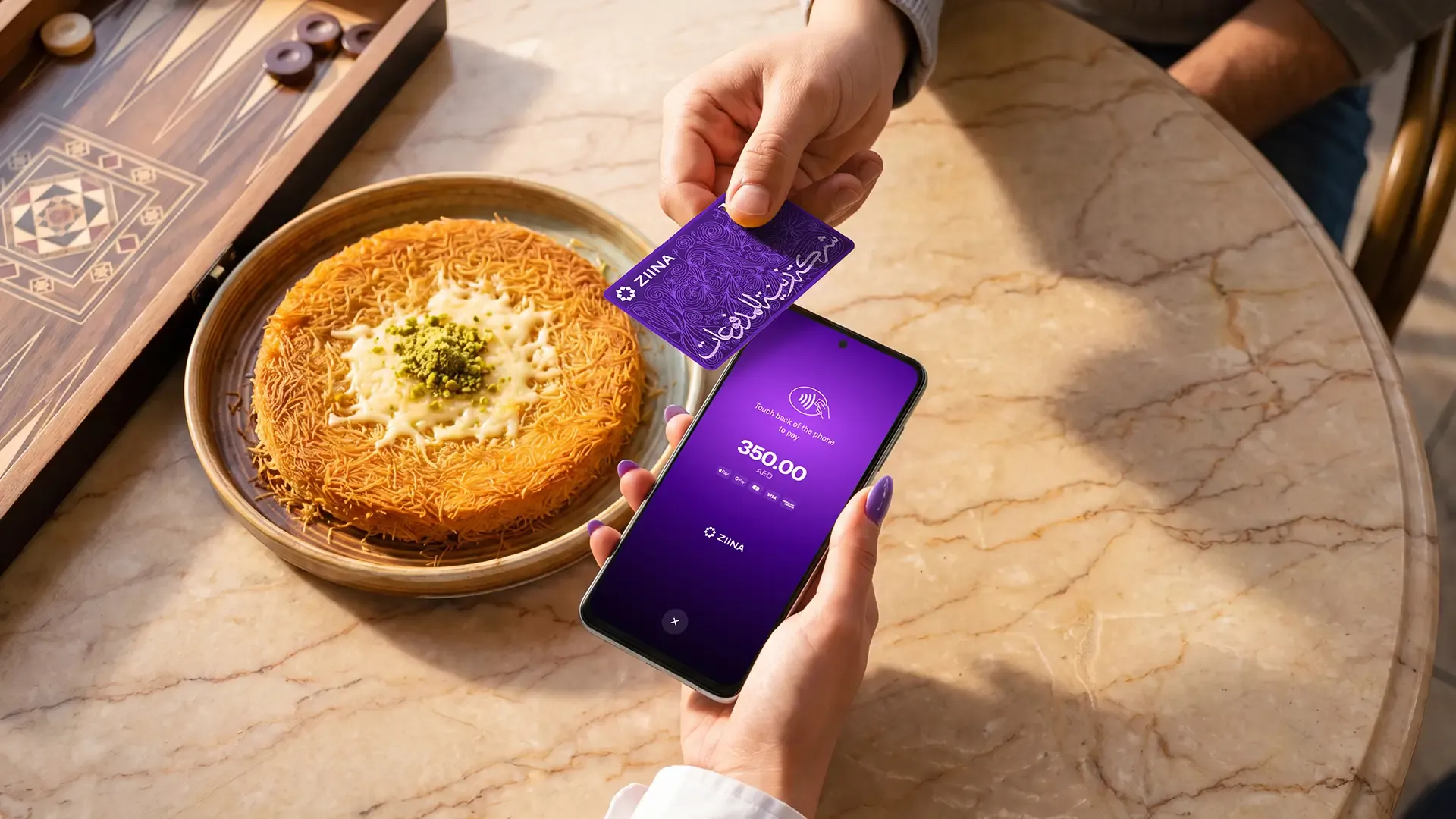
- Tap to Pay: Turn your phone into a POS machine and accept in-person payments from customers paying with phones, a wearable like an Apple Watch, and contactless cards – all without renting or buying any hardware. We support Tap to Pay on iPhone and Tap to Pay on Android.
Read more about how Tap to Pay works: How to accept payments without a card machine in the UAE
If you decide not to use our plugins, you can instead integrate any of our solutions manually. Check out our API documentation here.
Final thoughts
Setting up Apple Pay on your website can be overwhelming, especially if you’re adding it to a custom website without the help of a developer.
That’s where Ziina can help:
Using our payment gateway plug-ins, you can automatically accept Apple Pay payments on pre-built websites such as WooCommerce or WordPress.
For custom websites, you can use our API to integrate Apple Pay directly into your checkout flow.
You can also accept payments across multiple channels by using online checkout, payment links, QR codes, and Tap to Pay.
Disclaimer: Availability of Ziina products and features is subject to eligibility, successful verification, device compatibility, applicable transaction limits, Ziina’s terms and conditions, and regulatory requirements. Customers are responsible for ensuring they hold any trade license, permit, tax registration, or other approval required for their business activities. Fees, limits, payout timelines, and product features may vary and are subject to change. Please refer to Ziina’s latest terms and pricing for full details.
This article was published in August 2026.